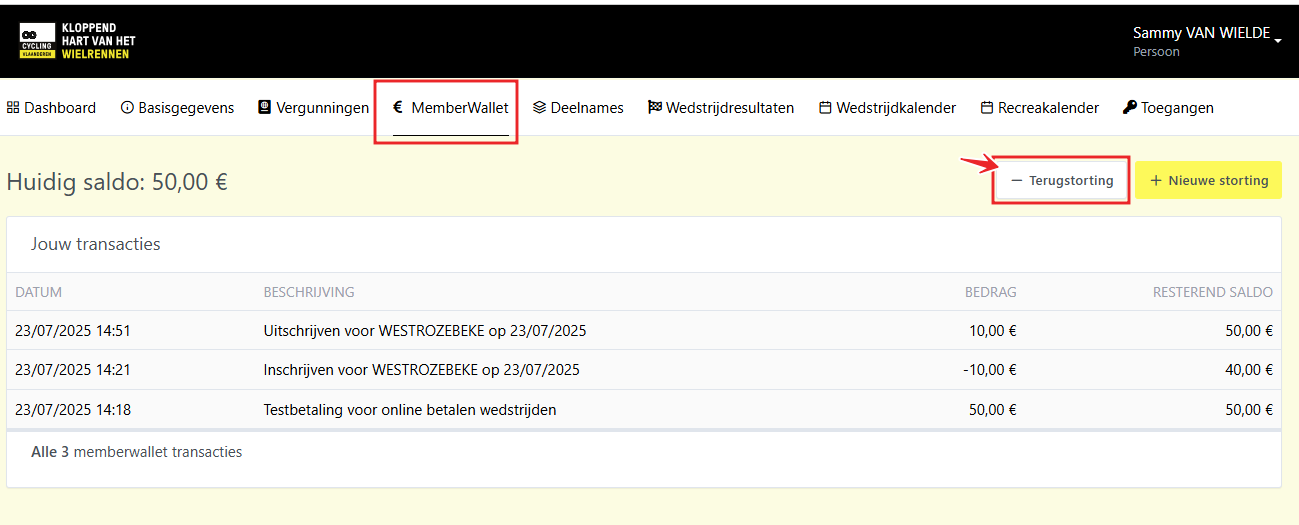


Starting from the 2026 road season, Cycling Vlaanderen will switch to an online payment system for participation in cycling races. Through the MemberWallet tab in your personal portal, riders with a competition license can manage their digital wallet.
As a license holder, you can top up your MemberWallet online. This balance can then be used to reserve your place at races.
Pre-registration for races for the 2026 road and MTB season is possible from January 21.
How to Top Up Your MemberWallet?
1. Log in to your personal portal
Visit https://portal.cycling.vlaanderen.
Don’t have access anymore? Click here to recover access.
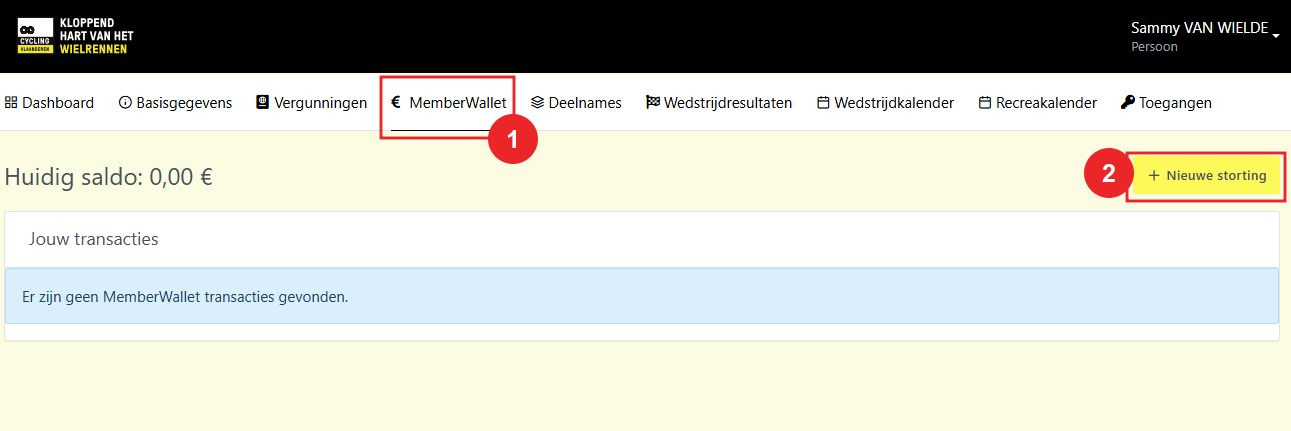
2. Open the MemberWallet tab
On your personal profile, click the MemberWallet tab. Then click + Nieuwe storting (New Top-Up).
3. Enter the amount
Choose the amount you want to deposit. For your first top-up, you’ll also need to provide:
- your bank account number
- the account holder’s name
- your mobile phone number
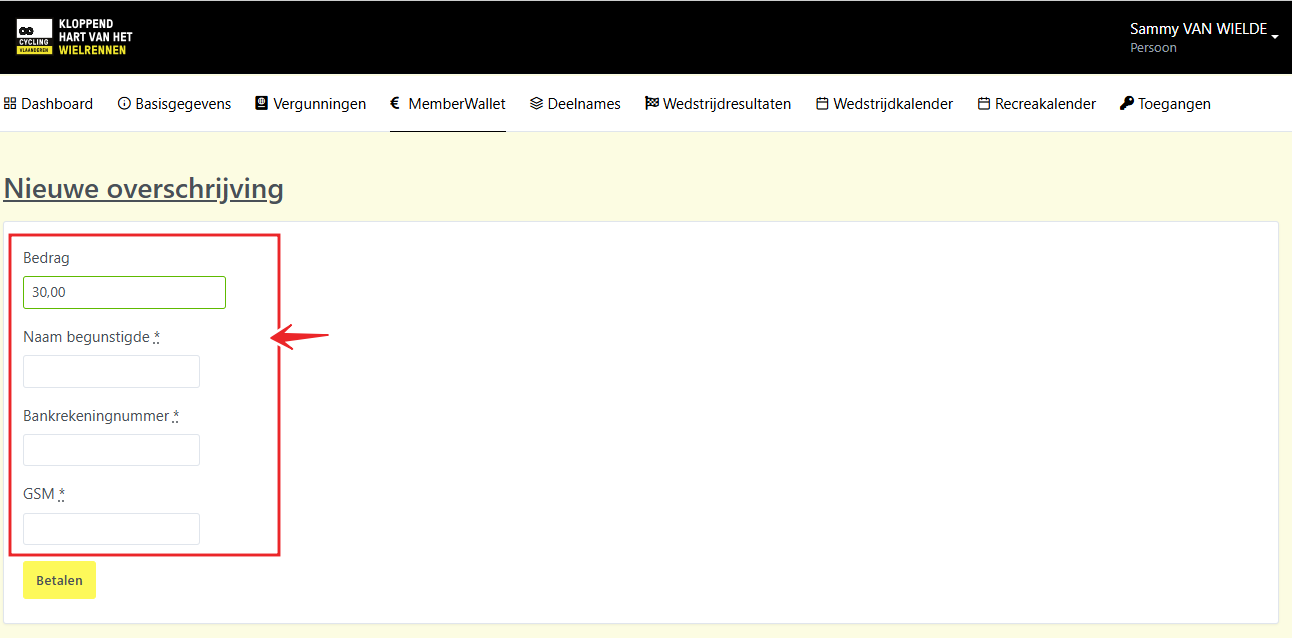
4. Make the Payment
Click the Betalen (Pay) button to complete your deposit. You’ll be redirected to a secure online payment page. The deposited amount will then be available in your MemberWallet.
How to Register for a Race?
The registration process remains the same as before:
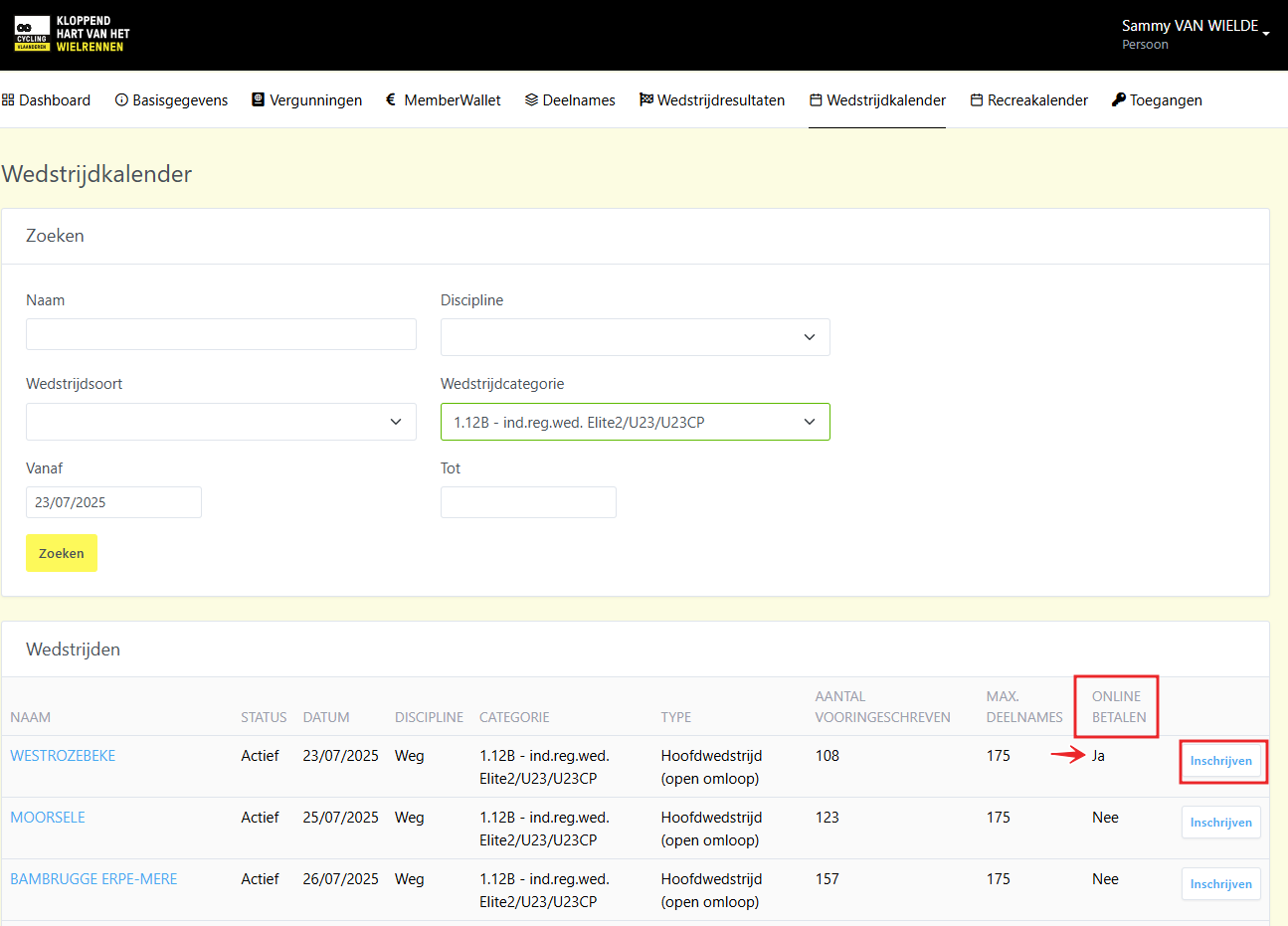
- Go to the Wedstrijdkalender (Race Calendar) tab in your portal.
- You’ll see an overview of all races open for registration.
- A new column called: Online betalen (Online Payment) shows whether online payment is required.
- Click Inschrijven (Register) next to the desired race.
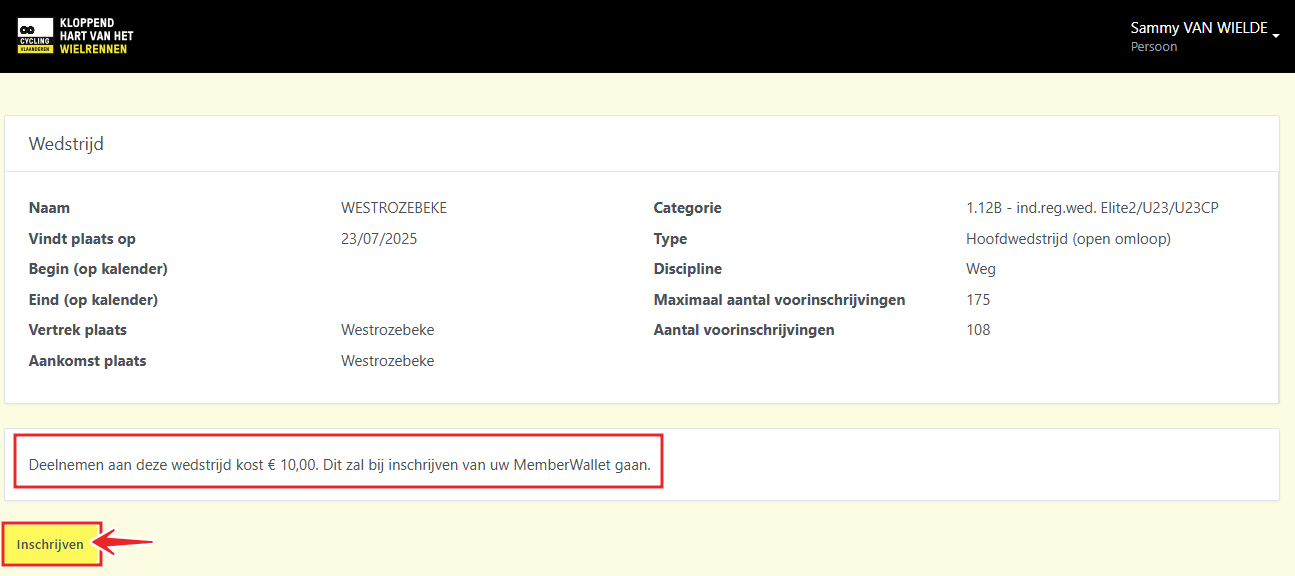
The system will automatically check if you have sufficient funds in your MemberWallet:
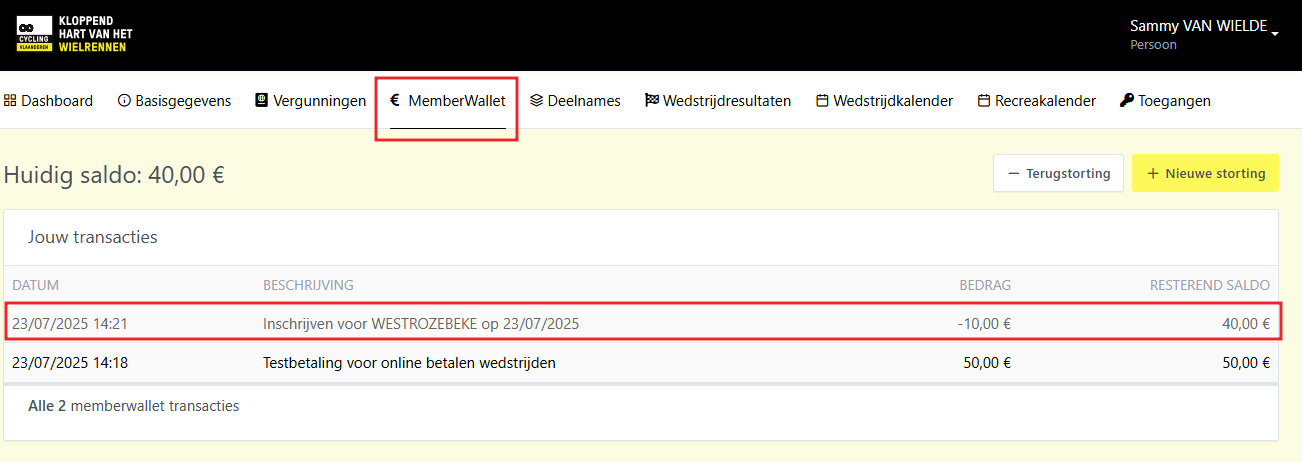
- Sufficient balance?
Your pre-registration is confirmed, and the registration fee is reserved from your wallet. You’ll see this reflected in your balance.
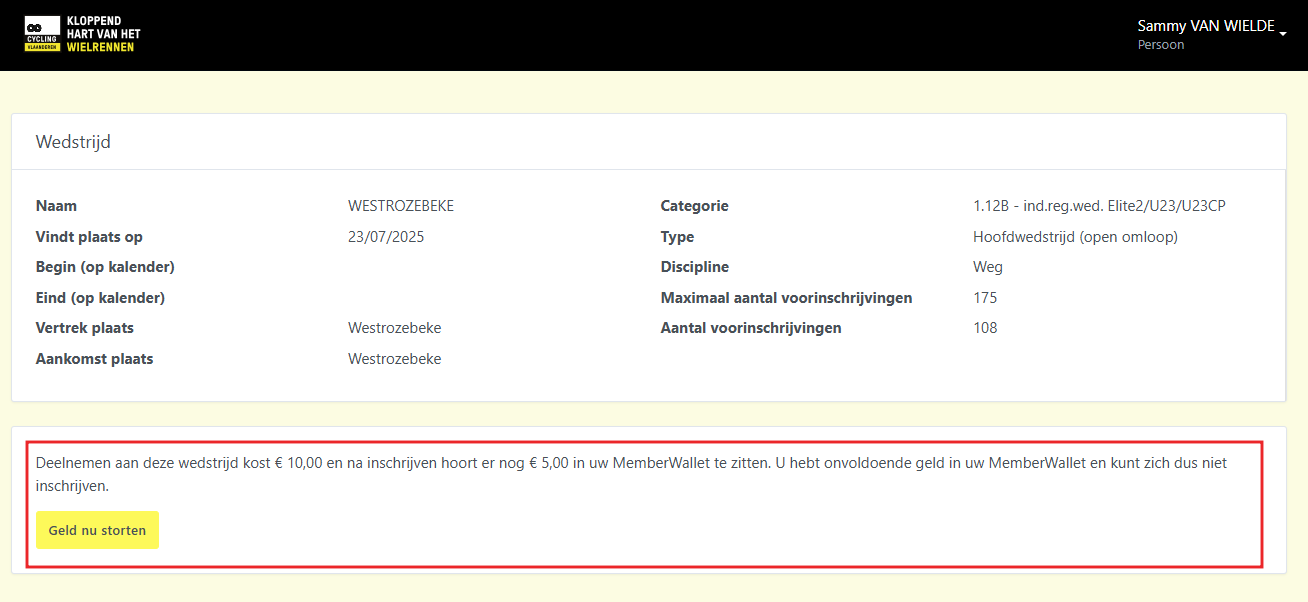
- Insufficient balance?
You’ll receive a notification. You can then top up your wallet and proceed with registration right away.
Frequently Asked Questions about the MemberWallet
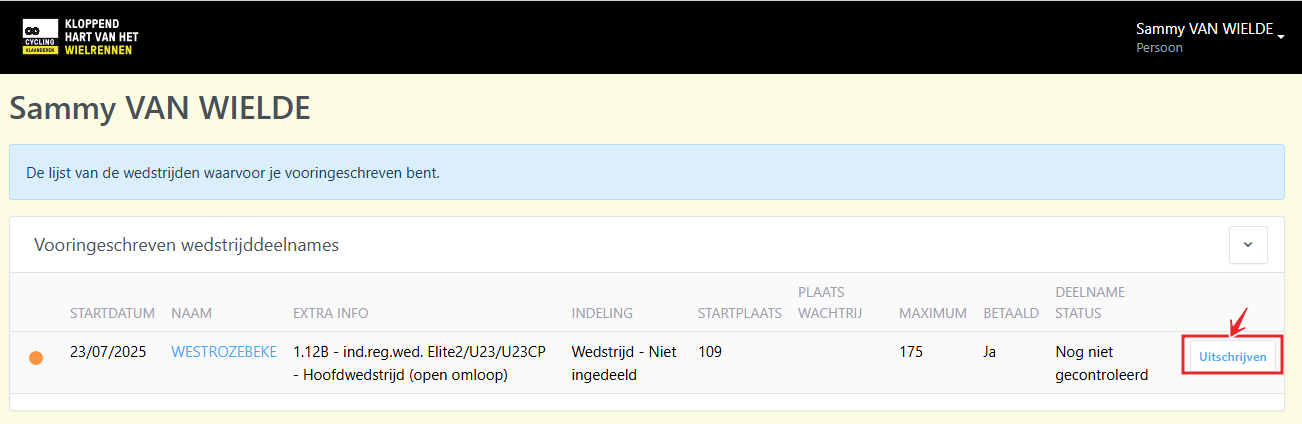
What if I cancel my registration for a race?
If you unregister, the reserved amount is immediately returned to your MemberWallet.
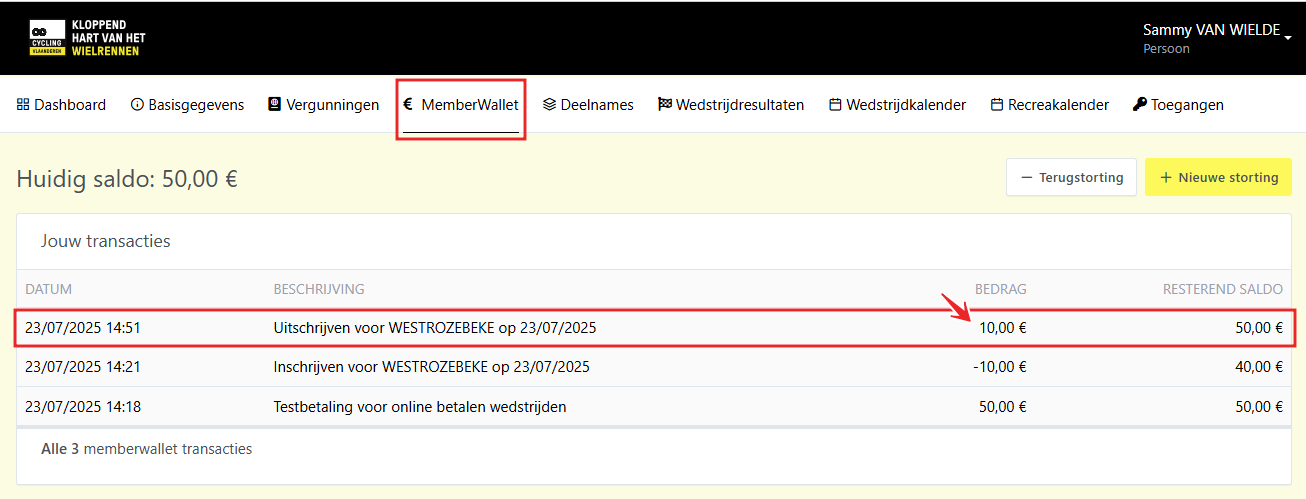
What if the race is full and I’m placed on the waiting list?
If you are placed on the waiting list, the registration fee will still be reserved.
If you’re still on the waiting list at the close of registrations and don’t get to start, the reserved amount will be automatically refunded about four days after the race (as part of the financial settlement).
What if I register for a race I’m not eligible for?
If your registration is rejected after review by the race operator, the reserved amount will be immediately refunded to your MemberWallet.
What about the race number deposit that used to be paid in cash?
There is no more cash deposit required at registration.
We trust that riders will return their race numbers. If not, the deposit will be deducted automatically from your MemberWallet during the race’s financial settlement.
What happens if a race is cancelled or removed from the calendar?
In that case, the full reserved amount will be automatically refunded to your MemberWallet.
Can I still register on-site at the race?
Yes, on-site registration is still possible. We strongly encourage riders to register in advance through the portal.
What if I want to rent a transponder at the race?
Transponders can still be rented on-site, and payment is made in cash, just like before.
What if I don’t show up on race day?
A rider may be absent three times without consequences (each rider has three “joker absences”). The registration fee is refunded after the race. Once the three joker absences have been used, the registration fee will no longer be refunded.
Can I request a refund of the balance in my MemberWallet?
Yes. You can request a refund of your remaining balance at any time via your personal portal. A €2 administration and transaction fee will be deducted from the requested amount.